Docker Containers
Making Development Easier
The Classic Developer Dilemma
"Have you ever worked on a project that works on your computer, but does not work on another computer?"
Developer's Computer
"Works on my machine!"- ✅ Node.js runtime correctly installed
- ✅ Local libraries and dependencies present
- ✅ Configured environment variables
- ✅ Application starts successfully
Another Computer / Server
"Error: Missing dependency / Crash"- ❌ Different or outdated Node.js version
- ❌ Missing system dependencies
- ❌ Configuration mismatch between environments
- ❌ Deployment failures and wasted debugging time
This is a common problem in software development. Docker helps us solve this problem.
So, What is Docker?
A tool that packages an application and its dependencies into a container.
What is a Container?
A container is an isolated environment where our application can run reliably without conflicts with host software.
Packaging Dependencies
For example, a Node.js application needs Node.js, libraries, and configuration. With Docker, we package these elements together.
The Main Benefit: Consistency
Developers can use the exact same environment on their computers, on a test server, or in the cloud.
With Docker, we can package these elements together. This makes the application easier to run on different computers.
How Docker Works: The 3 Core Concepts
We write a Dockerfile → Then we build an image → Finally we run a container.
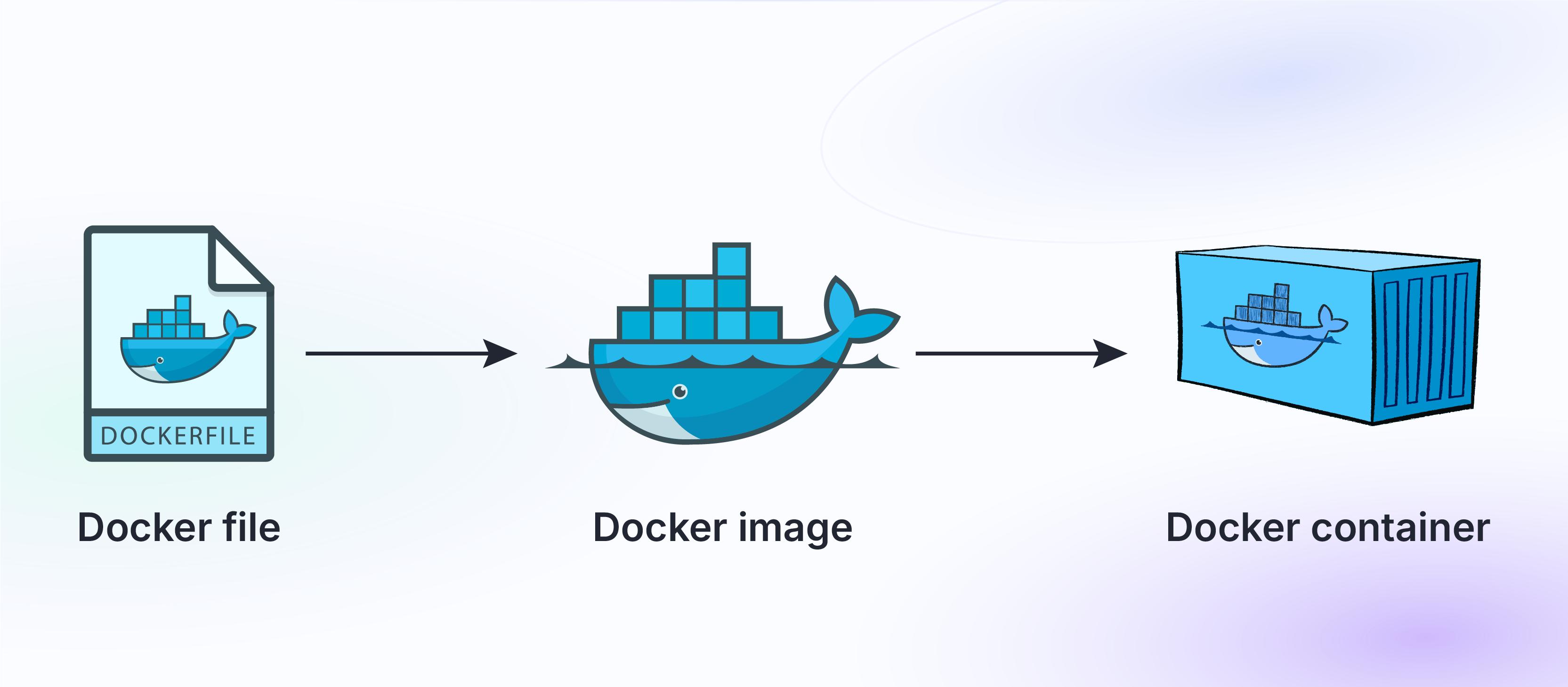 Figure 1: Docker Workflow — From Instructions to Running Container
1. Dockerfile
Contains text instructions and commands to create our application image.
2. Docker Image
An immutable package containing our application code, runtime, and dependencies.
3. Docker Container
A running instance of an image. The live, executed application in an isolated environment.
Live Demo: Node.js inside Docker
A simple example: we build the image and run the containerized web server.
Summary & Key Takeaways
why Docker matters in modern software engineering.
Consistent Environments
Docker helps developers create consistent environments across all machines.
Bundled Dependencies
It packages applications and their dependencies together in a single portable unit.
Simpler Deployment
This reduces environment problems and makes deployment much easier and faster.
Thank You for Listening!
Do you have any questions?
Dockerfile = Instructions
Docker Image = Application Package
Container = Running Application
docker build = Create Image
docker run = Start Container
We appreciate your attention and welcome your questions and comments.